PixGrabber features possibility to view images stored on different types of data carriers, no matter what it is � your Hard Drive or a CD. All you need is to specify the folder with images you wish to view. By default, images are displayed in the form of pictograms, and you can set their dimensions at any time.

You can view enlarged thumbnails in "image preview" window, or just load image in its actual size by double clicking the thumbnail. Besides, PixGrabber supports quick viewing mode not only for thumbnails, but also for images themselves in slide-show mode.
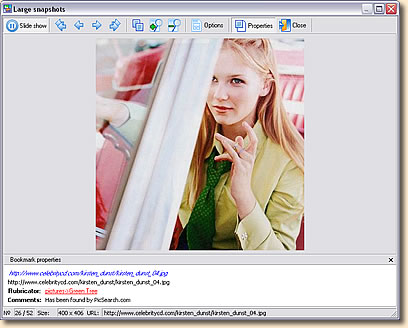
As additional options for slide show you can set images scale.
Besides, PixGrabber is able to import images from Hard Drive into the database. The ability to import images from other data carriers (CD, etc.) is also supported.
Import into database can be handled along with saving catalogs structure into rubricator. If a picture was previously imported into database, the program will identify it and, according to the options set, either ignore it, or import it by new name. As an option you can erase images on your Hard Drive after importing them into database.
In the proccess of importing images into database, PixGrabber prevents saving duplicate images. Such a unique possibility is very useful when arranging image archive. The chances of one and the same image been stored on different CDs or folders are pretty good. This feature is pretty fresh and allows avoid your datadase from obstruction.
PixGrabber also allows setting filters for dimensions (in pixels) and size (in kb) of imported images, and removing files of specific types (jpeg, gif, png, etc.) from import list.
Saved images can be bounded to rubrics automatically, rated; also you can add comments to any image.
|